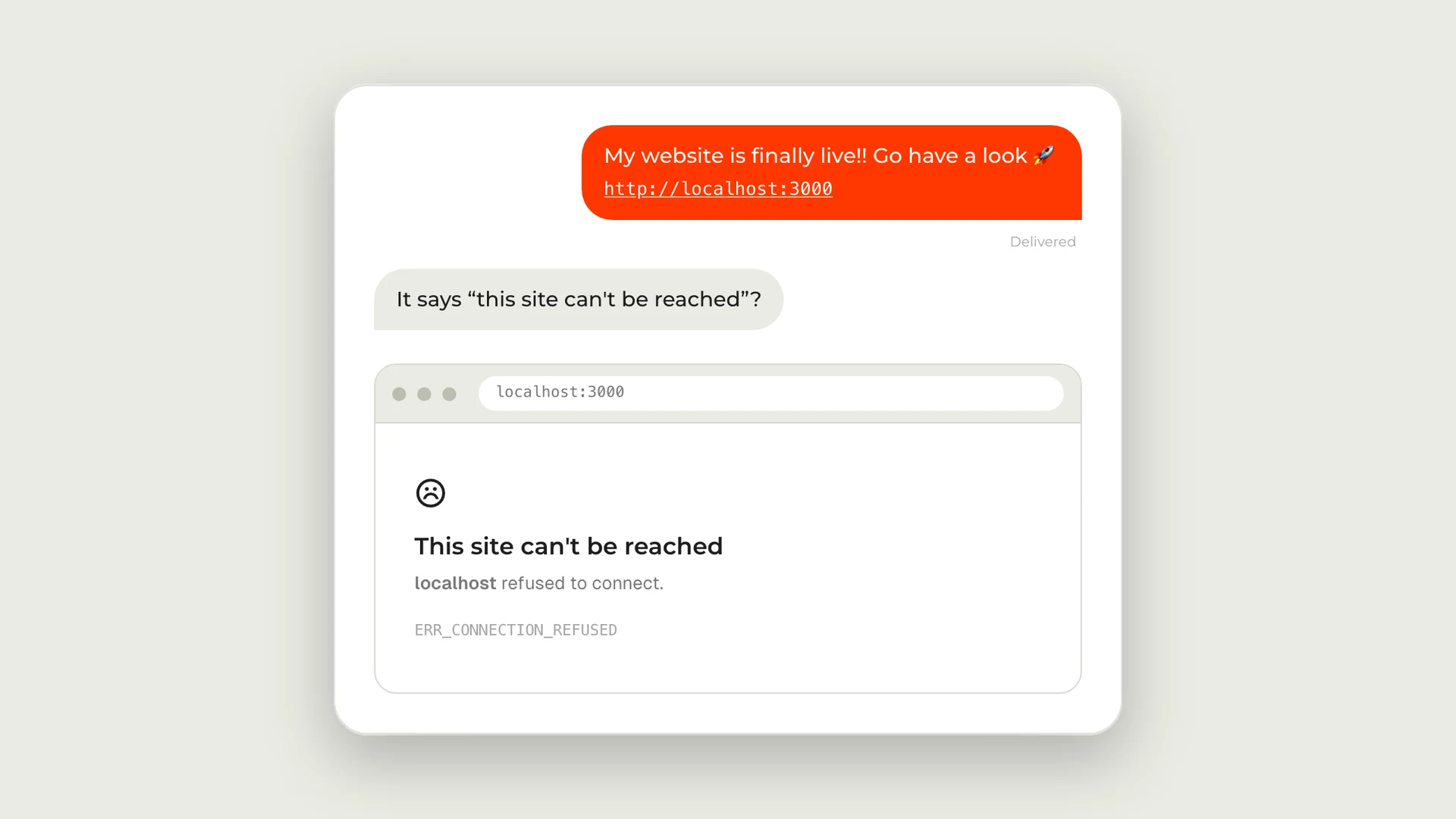
There's a joke that does the rounds among developers. Someone finishes their first website, messages their friends to say it's finally live, and pastes the link: localhost:3000. Every friend replies with the same thing. "It says this site can't be reached."
It's funny because it's true, and in 2026 it's truer than ever. Tools like Lovable, Bolt, v0, Claude and Cursor mean more people than ever are building a real, working website in an afternoon. Then they hit the part nobody's AI tool explains properly: getting it off their own computer and onto the internet, on their own domain, with a contact form that actually delivers.
I build websites with AI every day, and this last mile is where I see most of them stall. So here's what's going on, and how to do it properly.
Why does localhost:3000 work for you and nobody else?
localhost means "this computer". It's a reserved name that always points back to the machine you're typing on. When your AI tool or code editor starts your site, it runs a small development server on your laptop, and :3000 is just the door it's listening on (3000 is the default for Next.js; sites built with Vite usually use 5173). So when a friend opens localhost:3000, their browser looks for a website on their computer, finds nothing, and gives up.
That's the whole joke. Your site isn't broken. It just isn't anywhere yet.
What does "live" actually take?
Putting a site online properly means four things, and your laptop provides none of them:
- Hosting. A computer that's switched on all the time and serves your site to anyone who asks. For the kind of site AI tools build, that's usually Vercel, Netlify or the builder's own hosting.
- A domain. yourbusiness.com, registered in your name, pointing at that hosting. This is done with DNS records at whoever you bought the domain from.
- HTTPS. The padlock. Browsers have marked plain http:// pages "Not secure" for years, and from Chrome 154 in October 2026 Chrome will ask visitors for permission before it opens a public site that doesn't use HTTPS at all. Good hosts set this up for free once the domain points at them.
- Email that arrives. If your site has a contact form, it needs a proper email service behind it, sending from your own domain. More on this below, because it's the one that fails silently.
Can you host it for free?
Yes. For most small business sites, the only thing you have to pay for is the domain.
The kind of site these tools build (a few pages, a contact form, no shop or login) is cheap to serve, and several good hosts will do it for nothing:
- Netlify's free plan costs $0, includes your own domain and HTTPS, and is enough for a typical small, low-traffic business site.
- Cloudflare Pages is free too, and lets you connect up to 100 custom domains to a project.
- Vercel has a free Hobby plan as well, but it's for personal, non-commercial projects. If the site is for a business, use one of the two above or Vercel's paid plan.
- Email for your contact form can be free as well: Resend's free plan covers 3,000 emails a month, far more than a contact form will ever send.
Add a domain, usually somewhere around €10 to €30 a year depending on the ending, and that's your running cost. You don't need a monthly website subscription just to be online. What you're paying for when you pay someone is the setup being done properly, not the hosting.
Doesn't my AI tool's publish button do all this?
It gets you halfway, and it's worth knowing exactly which half.
- Lovable publishes to a yourproject.lovable.app address. Connecting your own domain is a paid-plan feature.
- Bolt publishes to a free bolt.host address, and custom domains are on paid plans too.
- v0 publishes by creating a project on Vercel, which you then connect your domain to.
Those addresses are fine for showing a friend, but a business needs its own domain, and that's where the settings people get wrong start to matter.
The three launch mistakes that don't show up on launch day
The frustrating thing about these is that your site looks finished. Everything works when you test it. The problems arrive weeks later.
1. The domain belongs to someone else
A developer, an agency or a friend registers the domain for you, in their account. It works fine until a renewal email goes to an inbox nobody reads and your address stops working. Whoever holds the registration controls your address on the internet, whatever the invoice said. I've written about this in more detail in do you own your website?, and it's the first thing to check.
2. The contact form works, but the emails go to spam
AI-built forms often look finished and send nothing at all. When they do send, it's frequently from an address that doesn't match your domain, and the big inbox providers treat that with suspicion. Since February 2024 Google has required every sender to Gmail to authenticate their mail with SPF or DKIM, and anyone sending in bulk needs SPF, DKIM and DMARC together. Microsoft brought in the same trio for high-volume senders to Outlook.com and Hotmail in May 2025, and rejects mail that doesn't comply.
A small business contact form isn't a bulk sender, but the same records are what get your enquiries into the inbox instead of a spam folder. The fix is to send through a proper email service from your own domain (Resend's free plan is plenty) and verify it. Then test it: submit your own form to a Gmail address and an Outlook address, and check both inboxes.
3. A secret key sitting in public code
To make things work, AI tools sometimes paste a secret API key straight into the code that runs in the visitor's browser. Anything the browser downloads, anyone can read, and bots scan for these keys constantly. GitGuardian's latest report counted 28.65 million new secrets leaked in public code on GitHub in 2025 alone, with leaks of AI service keys up 81% on the year before. Keys belong in your hosting dashboard's environment settings, never in the code.
I've put the whole process into a free kit
Every launch I do runs through the same list, so I've turned it into something you can use yourself.
Localhost to Live is a free launch kit with two parts:
- A 28-point launch checklist you can print and tick off: ownership, domain and DNS, hosting, contact forms, privacy basics, findability, security, quality and handover. Every item says what to check, why it matters and how to check it, in plain English.
- The Ship It Safely skill for Claude. Install it in the Claude app or Claude Code and ask it to check your site is ready to launch. It audits your project first, then works through each phase with you. In Claude Code it can do the work itself; in the Claude app it tells you exactly what to click. It never asks for your passwords or keys, and it never buys anything for you. It's free and open source on GitHub.
The skill is built for sites hosted on Vercel and sending email through Resend, which covers most sites built with these tools (remember Vercel's free plan is for non-commercial sites). If you'd rather host for free on Netlify or Cloudflare Pages, or your site is WordPress or Shopify, every item on the checklist still applies, and the skill will say plainly that it's outside its scope rather than guess.
Get the free launch kit
Or have it launched for you
If you'd rather not spend an evening in DNS settings, I'll do it. Launch It Properly is a fixed €499: every item on the checklist done on the site you've already built, the domain in your name, forms tested in Gmail and Outlook, a plain-English handover document, and a 30-minute walkthrough call. It's live within 5 working days, and it starts with a short call where I'll tell you honestly whether you need me at all.
If you're still deciding whether an AI-built site is the right starting point for your business, AI-generated, template, or bespoke covers that trade-off.
The short version
localhost:3000 is your own laptop, so nobody else can see it. To go live properly you need hosting, a domain registered in your name, HTTPS, and email that actually arrives, and for most small business sites the hosting and email can be free, leaving the domain as your only running cost. The mistakes that bite are the invisible ones: a domain in someone else's account, enquiries landing in spam, and secret keys in public code. The free Localhost to Live kit walks you through all of it, and if you'd rather hand it over, we'll launch it for you.
Free Launch Kit
Built your site with AI? Put it online properly.
A free checklist and Claude skill that take your site from localhost to a live domain, with contact forms that actually arrive.
Start a Project
Planning a new website for your business?
Tell me what you're building and I'll come back with a clear next step.